Billable hours lost to intake, deadlines and document shuffling. We look after the systems you run on, connect them, and take the repeat work off your people.
These are examples, not a menu. Every business runs differently, and what we build is fitted to yours. Use this page for ideas, then tell us how your work really goes.
What comes off your plate
The jobs we take over
Items marked AI need judgment, like reading a document or a free-text message. Everything else is plain software that does the same thing every time.
Client intake with a conflict check
Engagement letters and standard documents built from templates
Court notices turned into calendar deadlinesAI
Reminders to enter time
Invoices generated from time entries
Key facts pulled out of long PDFs for reviewAI
Client files can stay privileged: Private AI runs on a machine inside your firm.
AI at work
How law firms are using AI now
The big software names in your trade, Smokeball, MyCase and Clio among them, now sell AI that does these jobs. We build the same kind of thing around the software you already have, fitted to how you work.
Answers a question about a matter and shows which document it came from
Summarises filings and scanned PDFs
Builds a timeline of who said what from the file
Creates tasks and deadlines only after you approve them
The lawyer reviews everything. AI does not give legal advice, and confidentiality terms are settled before any file is touched.
A person approves anything that gets sent, posted or paid, and every step is logged. Company names are used only to describe what is on the market; we are independent and not affiliated with them.
Your mornings
The questions you already ask
These are what owners and managers in your trade check first. A dashboard should answer them before you ask.
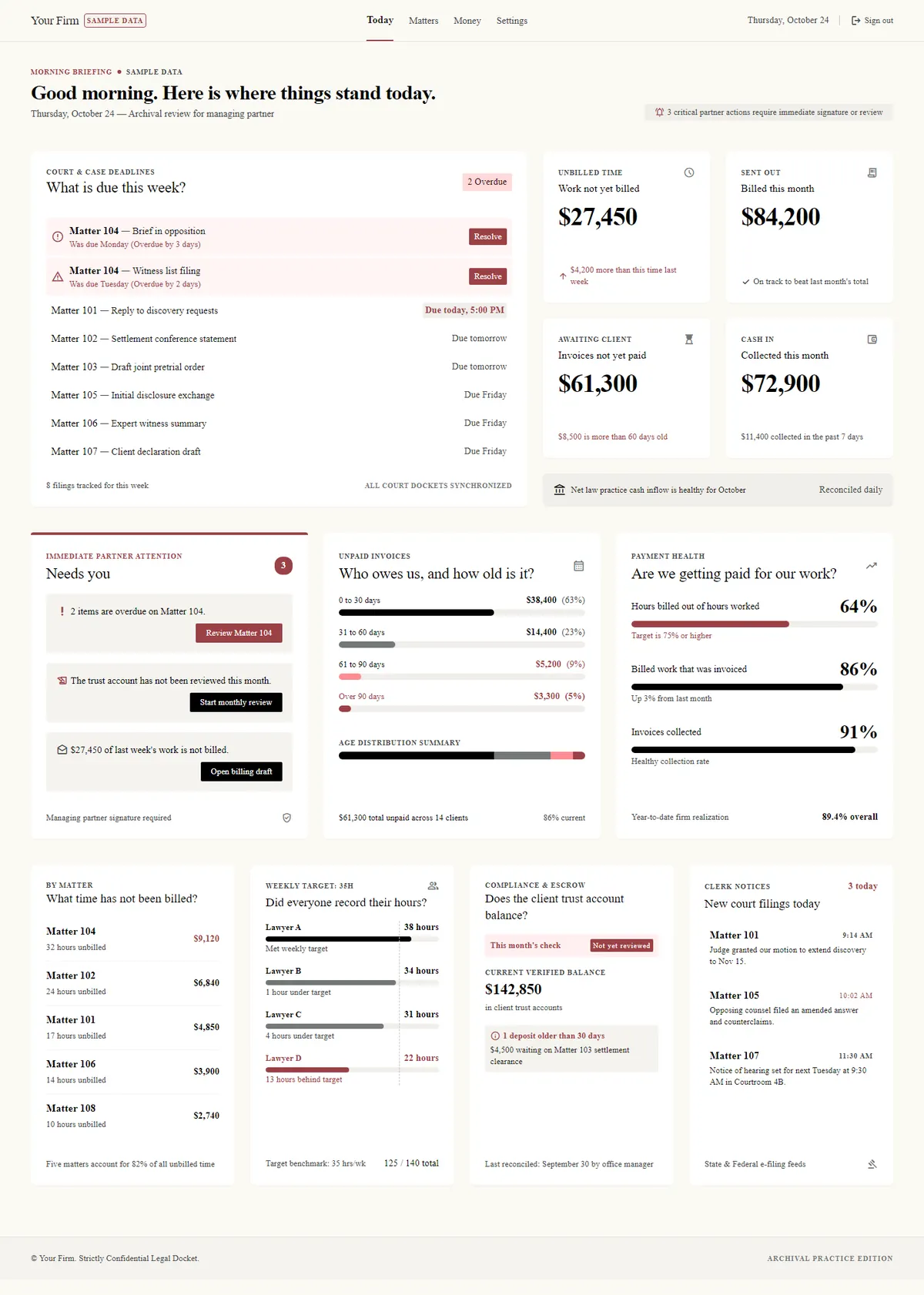
What's due this week?What's overdue?How much did we bill and collect this month?Who owes us, and how old is it?What time hasn't been billed?
One screen
What that looks like
Law firm
What is due this week, and what work is not billed yet?
Law firm dashboard · concept · sample data
What it flags
2 items are overdue
The trust account has not been reviewed this month
Last week's work is not billed
Pulled from
Practice systemCalendarTime entriesBillingTrust accountCourt filings
We bring togetherTime entries, trust balances, where clients come from and what each matter earns.
We can build for you to ownIntake forms and a client status page.
Every vendor sets its own rules for connecting. We confirm what yours allows on the free call, before any price is quoted. Product names belong to their owners; we are independent and not affiliated with them.